
How to request a lowered tax assessment
If you believe your home’s value has been reduced due to the prospective costs of complying with the sprinkler retrofit mandate, you can apply online for a temporary reduction in your property tax assessment.
Note: This strategy only makes sense if your home’s current assessed valuation is around the same or more than the most recent comparable sale price. If your valuation is lower due to long ownership and Proposition 13 limits on increases, this action likely would not make sense for you.
Here are instructions for the “informal” method of applying, which has no cost and is available in 2026 until March 31. The “formal” application option costs $120 and is available starting June 1.
Disclaimer: Content on this page is provided for informational purposes only. No recommendation is made regarding whether or not you should apply for a lowered tax assessment. Exercise your best judgment or consult a knowledgeable professional in deciding whether to apply.
1 - Visit https://online.sfassessor.org/s/. If you already have created an account with the Assessor's Office, click "log in". Otherwise, click "create an account".
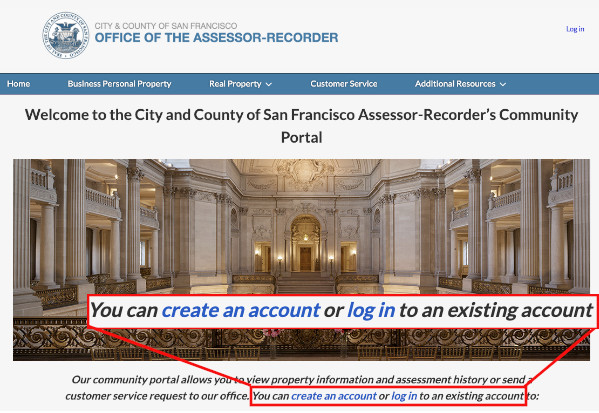
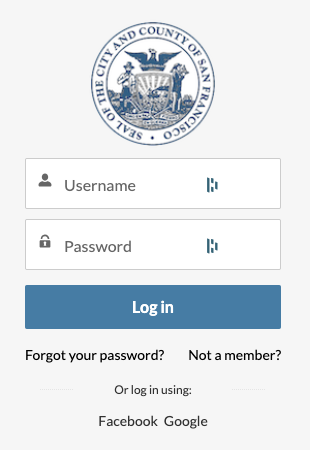
2a - If you have an account with the Assessor-Recorder, enter your username and password and click "Log In". If necessary you can click "Forgot your password".
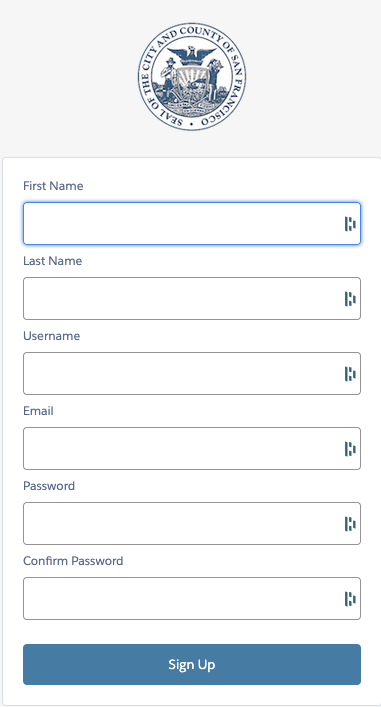
2b - If you don't already have an account with the Assessor-Recorder, create one by filling in the form fields then clicking "Sign Up".
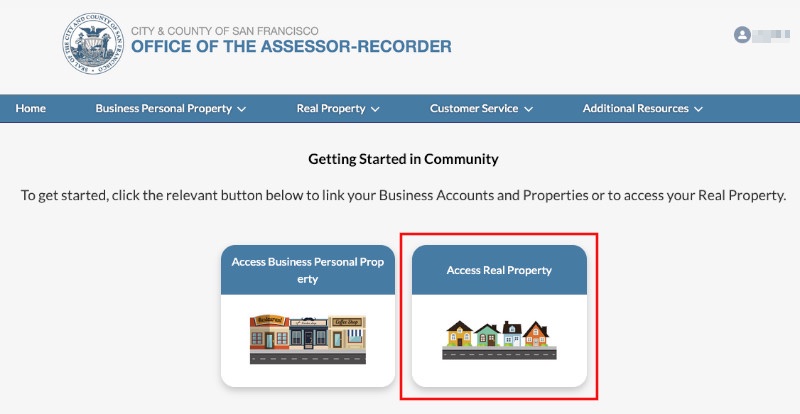
3 - Once logged in, click "Access Real Property".
4 - Enter your home's information, either as block and lot number or as street address and unit number, then click "Search".
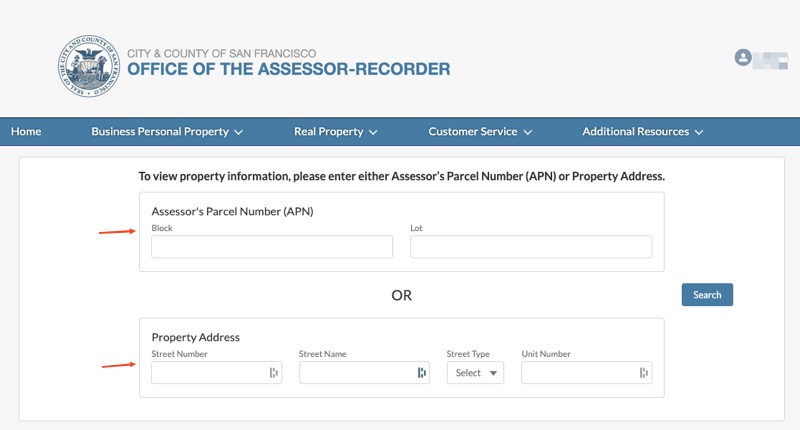
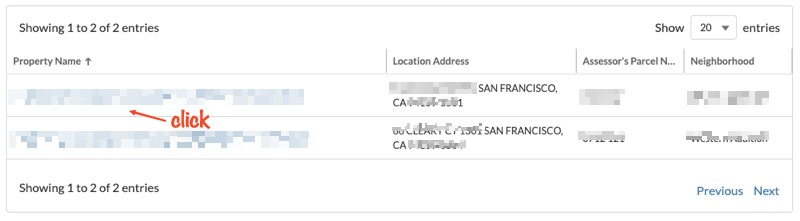
5 - If you entered block and lot number, a single property listing will appear below the search box. If you entered an address, more then one property may be listed (for example, if your unit is 403 and your building also has a unit 1403). Click on the line for your home.
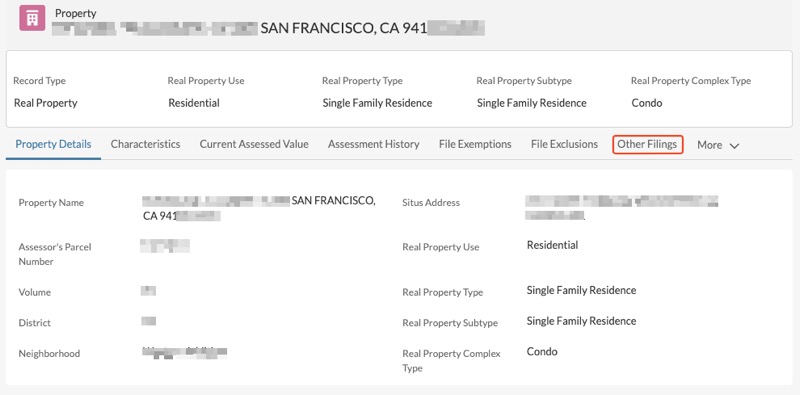
6 - Once you have selected your home, a Property screen will appear. A row of options, starting with "Property Details" appears above the box with the details. Click on the 7th choice in this row, "Other Filings". (Note, if this choice isn't visible, click on "More" to display the hidden choices.
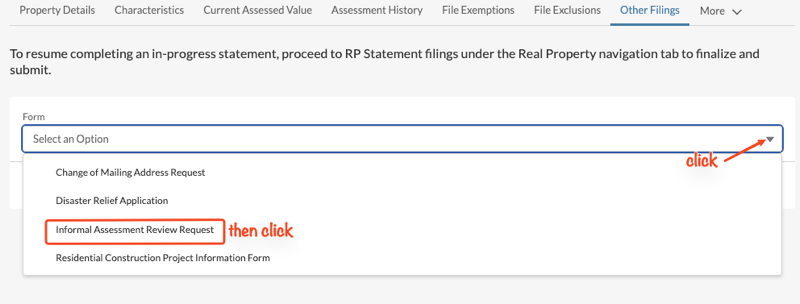
7 - On the Other Filings tab, click "Select an Option" to display the list of options, then click "Informal Assessment Review Request". Once that is selected, click "Next".
8 - A page of Frequently Asked Questions will be displayed. Read through these, then click "Next" at the bottom.

9 - You are now at the first page of the actual form to apply for your assessment reduction. Some of the information may already be filled in for you, although you can update your mailing address and email.
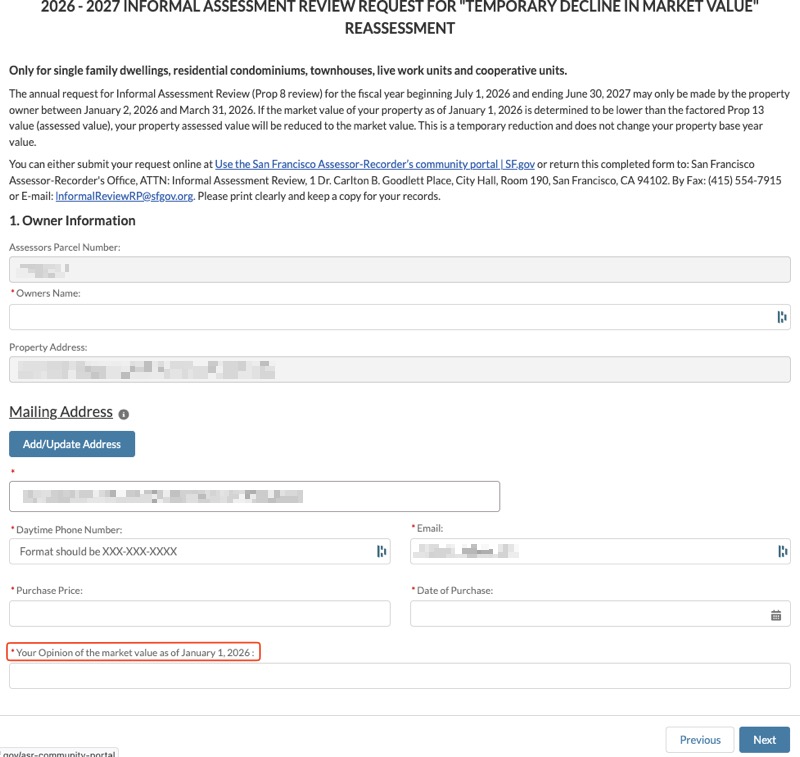
The critical field to fill in is the last one on the page, "Your Opinion of the market value as of January 1, 2026". You will need to decide what to enter in here. For example, you might take the current assessed value of your unit and subtract an amount you think the sprinkler mandate has reduced it by (such as $300,000 or $200,000). You can include an explanation, but there's a 255 character limit for the field.
When you've completed this section, click "Next".
10 - Now the final section of the form will be revealed, "Comparable Market Data Information". Here you will be invited to download a small spreadsheet file. It has four lines to fill in, one for your property, and three for recent comparable property sales. You might get information for these lines from online sources such as Zillow, or from your real estate broker. You also have the option to use a recent appraisal from an appraiser instead.
Once you've completed and saved the spreadsheet, or have an appraisal document to submit, click on "Upload". Once that's done, fill in the "Any additional information" field. Here you can comment on how you think the sprinkler mandate has affected the resale value of your home.
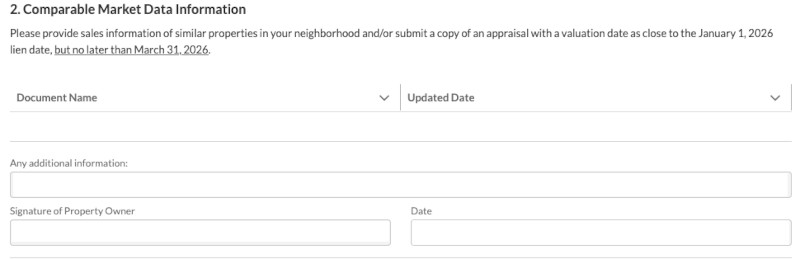
Finally, fill in the signature and date fields and click to submit the form. A confirmation page will be displayed (assuming the form detects no entry errors) and you'll be offered an opportunity to print a copy of your request.
You will be notified in July of the results of your review in the tax notification for the following tax year.